Introduction
Pinterest is a powerful platform for content creators/influencers, small businesses, and e-commerce businesses to drive traffic to their websites.
Pinterest has been visited by millions of people globally to explore new ideas and interesting products, discover upcoming editions, learn new skills, make informed purchasing decisions, find reviews about bestsellers, etc.
This platform is visual-driven, and so, it is an advantageous skill to learn its language – Pinterest SEO and to get listed among the top tiers.
Key Takeaways
- Optimize your content using keyword research for the title, post description, and content.
- Use keyword placement discreetly in the title, description, and visuals.
- Use high-quality images, videos, and content.
- Research and analyze your competitors’ Pinterest presence and understand their content, visuals, and keywords used.
- Research on similar boards and join group boards.
- Post consistently.
- Link the external sources of your Pin, like a website or blog.
- Collaborate with brands and make high-quality ads.
- Review your performance and refine your Pinterest SEO strategy for significant growth and impact on Pinterest.
12 Powerful Pinterest SEO Tips That Actually Work
1. Pin Your Visuals Consistently
Pinterest studies your website quality, posting consistently, the topics you post, and the quality of your content. Keep your website and your blogs active and engaging, and link your content to Pinterest consistently.
Visuals must be unique, relatable, and have keywords. This places your image/video well among other visuals and brings user engagement. Consistently uploading images/videos and linking your webpages also opens more channels for your target audience to divert them to your website.
2. Maintain Well-organized Boards
On Pinterest, boards make your first impression. They are your personality on display. Your audience and Pinterest algorithms recognize you only by your boards before reading your content or product.
Your Board Titles, the arrangement and the aesthetic appeal of your boards, keywords used for them, the creativity employed in creating and maintaining your Boards, and your discipline in updating them prove whether your content is discoverable, likable, and promotable or not.
They help your audience understand your content better and also filter your audience from casual visitors to potential customers through user engagement.
3. Use Keywords Discreetly Wherever You Use Text
Keywords are used for Pin title, Pin description, Board name, Board description, in your business profile, as names of the objects or scenarios in the image, etc. Use words that a Pinterest user would search in the Pinterest Search Engine. Keep it discreet, neat, and classy.
Do not be repetitive, and more importantly, do not bombard your article with keywords to be seen, else you will appear desperate and will quickly drive away your customers.
AI-generated titles, captions, and descriptions will surely help, but copy-pasting them might create a disconnect between you and your audience. It’s important that you add your personal writing style to the AI-generated text to connect to ‘humans’ as well as to make your content keyword-friendly.
4. Optimize Your Business Account Well and Regularly
If your account is personal, switch it to a business account. This provides you with an additional feature called Pinterest Business Hub, where you can gain insights on your performance through Pinterest Analytics and create ads using Pinterest Ads Manager.
If you are operating on the business account, optimize your profile upon crossing every milestone by mentioning them in your Profile session. Keep your brand identity the same, but upgrade your theme, appearance, and charm at the set marks.
Get creative and use keywords that speak to the nature of your business/content as your first name, last name, or username. Keep keywords consistent with your website. Update your brand story with achievements or new ventures, and introduce your new product in the ‘About’ section.
5. Link Your External Accounts
Claim your website and establish it as the primary link source on Pinterest. This feature will give you detailed analytics. Add your website link to your profile to convert user attraction to your website directly.
Link the relevant blogs or webpages to your corresponding pins.
Use Pinterest’s internal linking system by creating relevant boards containing its related pins. Use backlinks by adding a “Save” button to your web content so that users can share your content on their Pinterest account.
Share Pinterest links on other social media with a back link to Pinterest. Building a structured linking system with relevant content adds value to your board, drives traffic to your website, and also strongly influences the purchase decisions of your customers.
6. Sign Up For Branded Content
Pinterest’s Branded Content is a service offered by Pinterest to connect creators/influencers with its corresponding brands for sponsorship opportunities. This way, your visibility will improve, and it will also establish your image and position you strongly with the brand in your audience’s mind, among your competitors.
For creators who primarily enjoy expressing their interests and publishing online, the Branded Content feature of Pinterest will reduce their search and hustle for sponsors and bring them together under one umbrella.
7. Video or Photo, Visual Format Matters
Create a photo or video with an eye-catching and compelling heading (SEO-friendly would be better). The static, straightforward quotes/headings must arouse curiosity to read the article. They are like the face of the person.
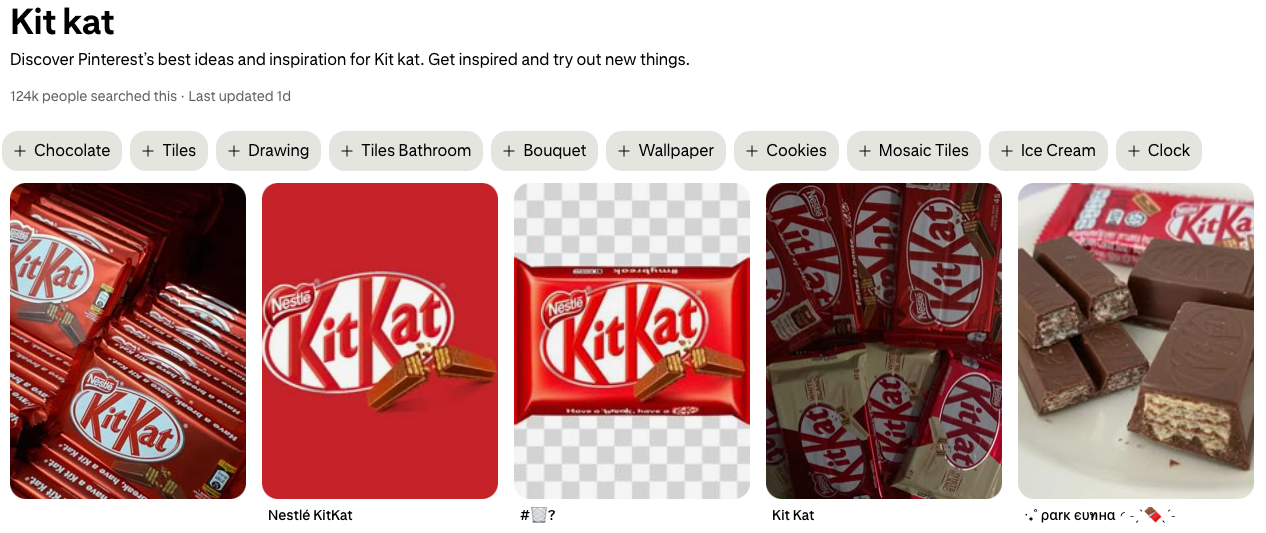
Use the KISS formula – Keep It Short and Simple. Video pins have an advantage as they can summarize the content and use keywords in the video itself, and drive the audience straight to the website.
Note the important point – the quality of your image or video matters more than the description or the title. Your image or video will decide whether your target audience will step in or just give a passing glance. Have the optimal standards for your Pins.
8. Write Compelling Call to Action
Call To Action takes your customer a step closer to the browsing goal. Newbies on Pinterest are convinced that if their content and visuals are catchy and impressive, viewers will naturally click the link and visit their website.
That’s far from reality. A boring Call To Action can lose more audience than your content.
Call to Action is the driveway to divert the traffic from Pinterest to your website. This will directly affect your conversion rate.
Call To Action must be action-oriented and in the Simple Present tense. Words like ‘Now’, ‘Today’, and action verbs in the Call To Action are very successful.
Place the Call To Action on your Pin image/video, in your Pin Description, or you can also state a Call To Action verbally in your videos.
9. Create Rich Pins
Rich Pins sync information from your website to the Pins. Any updates in your blog or webpage will directly be updated in your Rich Pins, saving you time from manually duplicating information.
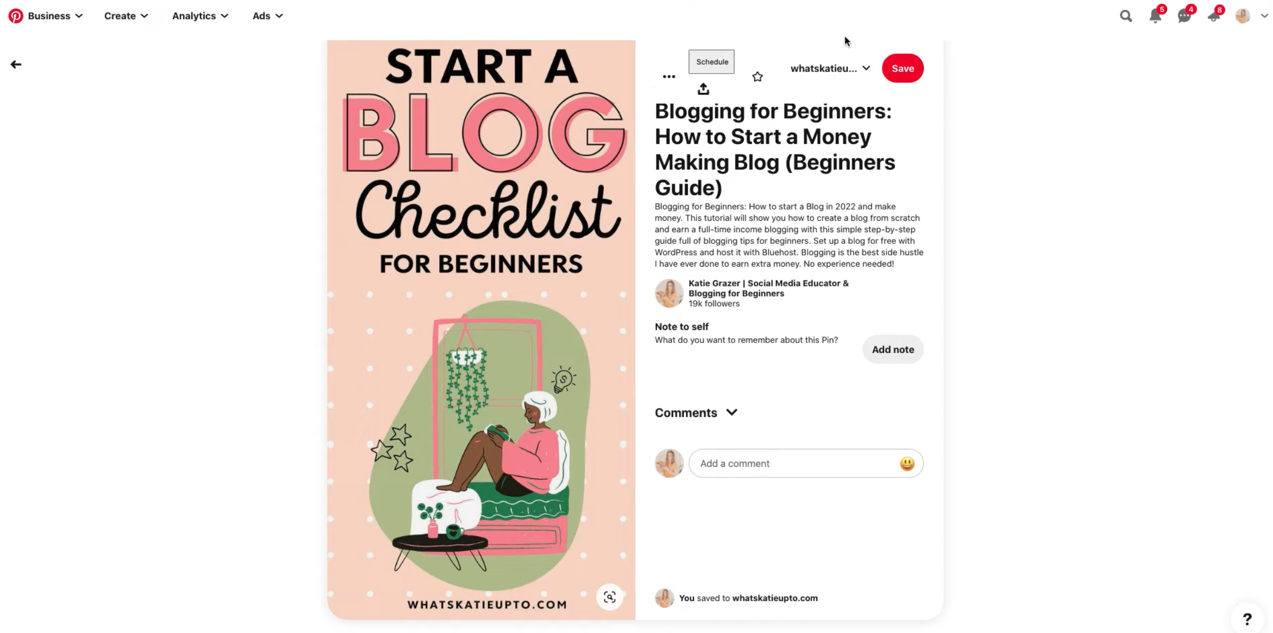
There are three types of rich pins: Recipe Rich Pin, Article Rich Pin, and Product Rich Pin. The second advantage of using Rich Pins is that they provide details and information about the author or the product.
For the technical part, you need to add the metadata to your website’s code. Validate your Rich Pins through the Pinterest Developer Rich Pin site. Once validated, it will validate Rich Pins for your entire website, and existing new pins to those pages will be updated.
10. Pinterest Ads
Most users use Pinterest Visual Search Engine for inspirational quotes, recipes, or the latest ideas, products, or trustworthy services.
A well-performing Pinterest Ads will increase visibility and engagement, and drive traffic from Pinterest to your website.
Use current Keywords in the title, description, and visual, properly linking the brand product with a creative, impactful script. Mention it’s sponsored content or #ad. This strategy is useful to announce offers, discounts, and also to create brand awareness.
Like Google, you can measure the success of your ads and ad campaigns in real time.
Pinterest Ad Manager is helpful for short-term as well as long-term ad campaign performance and analysis. You will be able to strategize your campaign and learn which campaign is worth investing in.
11. Collaborations
One of the quickest strategies to increase your visibility is to join group boards. Group Boards are multiple boards from various creators hosted by other creators. Each member can save Pins from other members’ boards or add Pins to the Group Board.
If you initiate collaboration on Pinterest Boards, click on the permission level options – Invite Other People, and Board Requests, to set their level of access. This will widen your collaboration circle, increase your content horizon, and affect Pinterest Analytics as content engagement grows.
You can also earn backlinks from other creators. Your Pinterest network will thus establish your authority and trust on the Pinterest Market.
12. Analytics, Performance Review, and Improvisation
Regularly review your performance on analytics, observe the data on Pin performance, engagement, and user behavior, and jot down posts that are performing well. They are your topics for the current season.
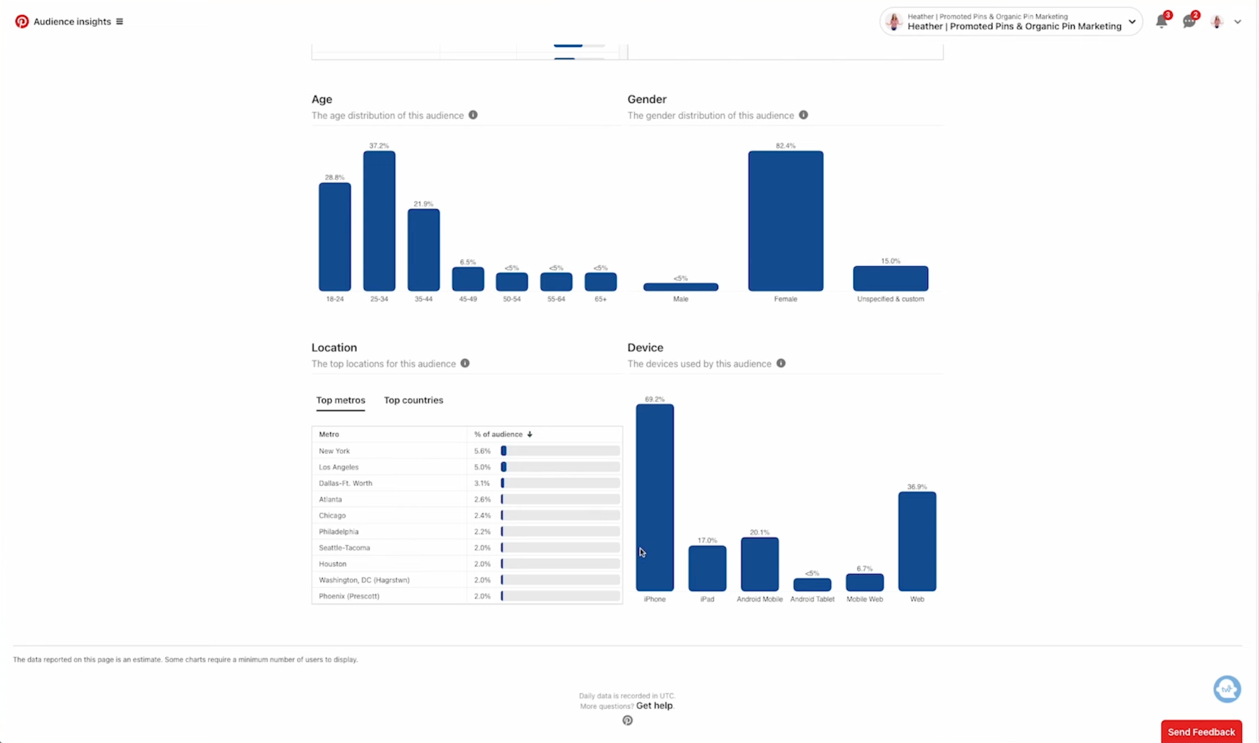
Pinterest Trends suggests the topics and keywords that are relevant to your business. Also, explore niche topics by using Keywords and build Boards around them.
Refine and improve your Pinterest SEO strategy based on your review and current market content. Through Analytics, you will know where to optimize content and channelize links for better visibility and engagement.
Track overall performance metrics regularly. Use Google Analytics to study the website traffic through Pinterest and to study the user behavior on the linked webpage.
FAQ
1. What Are The Mistakes To Avoid While Doing Pinterest SEO?
Below are some mistakes to avoid while doing Pinterest SEO:
1. Expecting high user engagement and traffic overnight.
2. Using a personal profile for business purposes and goals.
3. Posting amateur-level visuals.
4. Forgetting to link your webpage/website in Pins.
5. Bulking description and content with keywords.
6. Inconsistent posting, visual-content mismatch.
7. Very short description.
8. No Call to Action.
9. Using broken links.
10. Not studying Pinterest analytics to evaluate your impact and growth.
11. Not using additional Pinterest features like collaborations, ads, rich pins, etc.
2. How To Know If My SEO Strategy Is Successful, Or Do I Have To Make Changes?
You will know your SEO strategy has been successful when you see an increase in your Key Performance Indicators, namely Impressions, Pin Clicks, Saves, and Outbound Clicks. These keys measure your content visibility, boost engagement, and drive traffic to your website.
Pinterest Analytics reports your detailed metrics, your overall performance, audience insights, top-performing boards and pins, etc.
Use Conversion Insights to know your conversion metrics and the performance of your content in revenue generation. Pin Stat gives you KPIs of individual pins and videos.
A positive improvement in numbers signifies your Pinterest SEO strategy is successful, but a decline in numbers calls for analysis and improved actions.
3. Is A Website Necessary Before Creating A Pinterest Business Account?
No, it is not necessary, but as a business, it is highly beneficial. Having a website increases your credibility and authority on the platform.
If you are an influencer and want to make an impact on social media platforms, having a website may not be necessary, as your goals could be achievable without it. But using Pinterest for business goals and purposes without a website limits traffic, leads, conversion rate, sales, and business enquiries.
It gets difficult to measure business progress, and hence, it may prolong achieving your business goals.
More Resources:
TikTok Shopping: Set Up a TikTok Shop to Sell Your Products
How to Promote Your Local Business on Instagram?



Vijay Kumar is a digital marketing expert and founder of TechZant.
He is passionate about helping businesses grow their online presence through SEO and data-driven strategies.